01
Stage one
Upload the source record
Start with the documents gathered at the courthouse or received for the project.
- Add deeds, leases, and assignments
- Include probate records and document photos
- Keep the complete project file together
How Blackline Works
Blackline turns an unstructured project file into an organized title record through four deliberate stages, with professional review at the center.
No card required
Inside the workflow
Stage one
Start with the documents gathered at the courthouse or received for the project.
Stage two
Blackline classifies records and structures the information needed to understand each instrument.
Stage three
The system directs attention to uncertain fields and possible chain issues for human verification.
Stage four
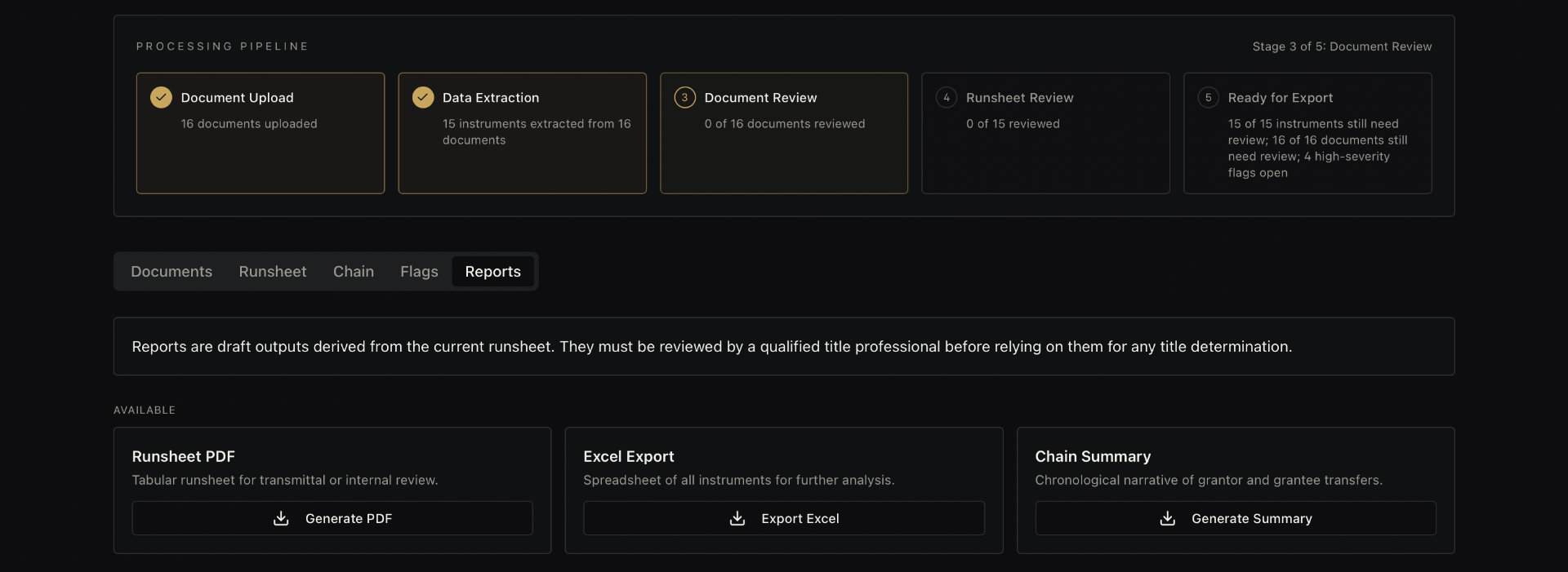
Once the record has been reviewed, prepare consistent outputs for the next stage of work.
Professional control
Blackline is built around a review workflow: organize the record, expose uncertainty, and give the professional a better surface for judgment.
Create a private workspace and start with the records already on your desk.
Start 14-Day Free TrialTrial: up to 50 documents, no card required · Professional: unlimited access for $99/month
Frequently asked questions
A project can bring together deeds, leases, assignments, probate records, and courthouse document photos used in mineral title research.
No. Blackline organizes and extracts information, then surfaces uncertainty and possible issues so a qualified professional can review the record and decide the result.
Yes. The workflow is designed to keep structured information connected to source context so reviewers can verify important facts.
After review, project information can be prepared as runsheet PDFs, spreadsheet exports, and chain summaries.
Want the audience-specific view? Explore landman software.